How to Optimize Your Google Business Profile to Rank Higher in Local Searches

A strong online presence starts right at your doorstep, with your Google Business Profile. Think of it as your digital storefront, where potential customers stop by to quickly grab your business hours, check your location on Google Maps, and browse through customer reviews before deciding to visit or buy.
Businesses with a fully optimized Google Business Profile attract 70% more visits and are 50% more likely to turn those visits into sales. It’s a powerful way to dominate local search results, outshine competitors, and capture attention exactly when customers need you most.
Ready to unlock your business’s full potential? In this guide, you’ll learn actionable strategies that maximize your Google Business Profile optimization—helping you rank higher, attract more customers, and stay ahead of the competition.
Why Google Business Profile Optimization Matters for Local Rankings
Boosts Local Search Visibility
A well-optimized Google Business Profile is the key to standing out in local results and capturing traffic that paid placements can’t always deliver. Google prioritizes businesses with complete and updated profiles in the Local Pack and Google Maps, placing them ahead of competitors in organic search results. This is crucial because more than 82% of consumers say they would rather support local businesses than large corporations.
Moreover, businesses with updated profiles are 2.7 times more likely to be viewed as reputable. A fully optimized business listing, complete with accurate business information, customer reviews, and fresh content, builds trust and improves local search rankings, ensuring you stay ahead in an increasingly competitive landscape.
Increases Customer Engagement

A Google Business Profile isn’t just about visibility; it’s a direct customer engagement tool that helps businesses connect with their audience in real time. Through features like Google Reviews and Google Posts, businesses can interact with potential customers, answer their queries, and showcase updates—all in one place.
Engagement matters because 42% of local search users click on Google Business Profile listings to check business details before deciding to visit, making your profile a pivotal touchpoint in the customer journey. Your ability to provide accurate information, respond promptly to inquiries, and maintain an active profile directly shapes customer trust and decision-making.
Secures a Spot in Google’s Local Pack
Ranking in Google’s Local Pack, the top three local search results displayed on Google Maps and search can significantly boost your business’s visibility. Since over 92% of searchers never scroll past the first three results, securing a position in this prime space is essential for attracting more customers.
Several local SEO ranking factors determine whether your business makes the cut, including NAP consistency (Name, Address, Phone Number), customer reviews, and business categories. A well-maintained Google Business Profile that features accurate business information, positive reviews, and updated services signals to Google that your business is relevant and trustworthy, increasing your chances of ranking in the Local Pack.
Strengthens Customer Confidence
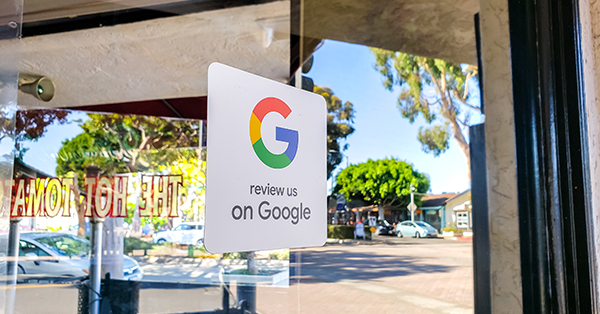
Customers rely on Google reviews and other review sites to evaluate a business before making a decision. Research shows 93% read reviews first, and 88% of consumers say they would use a business that responds to all reviews, compared to just 47% who would consider one that doesn’t respond.
When businesses ignore feedback, whether positive or negative, they signal to potential customers that input doesn’t matter, while happy customers who receive a thoughtful response are far more likely to return. It’s also worth monitoring your profile for fake reviews, which can mislead prospects and quietly erode the credibility you’ve built.
Optimizes for Voice Search

With 58% of voice searches focused on finding local businesses, having a well-structured Google Business Profile increases your chances of being featured in voice search results. Voice assistants like Google Assistant, Siri, and Alexa pull data from business listings, so ensuring your business information is accurate and up to date is essential.
Unlocks Valuable Business Insights

Knowing how customers find and interact with your business is essential for refining your local SEO strategy. Google Business Profile Insights provides detailed data on search queries, profile views, and customer actions, helping you understand what drives engagement.
The data Google Business Profile sends to your dashboard includes how many people searched for your business, clicked your website URL, requested directions, or called directly from your listing. This information allows you to identify trends, fine-tune your business description, and adjust Google Business Profile optimization strategies to attract more customers.
Step-by-Step Process to Optimize Google Business Listing

1. Claim and Verify Your Google Business Account
Before you can fully optimize your Google Business Profile, you need to claim and verify your listing. This step ensures you have complete control over your business information, allowing you to update details like your business hours, location, contact details, and more.
Without verification, Google pulls data from various sources that may not always be accurate, potentially confusing customers and hurting your local search rankings. Once you gain access to your verified profile, every detail can reflect your actual business rather than outdated or third-party information.
Most businesses don’t realize that 56% of Google Business listings remain unclaimed, leaving them vulnerable to incorrect details and missed opportunities.
To verify your business account profile, Google offers several options:
- Postcard Verification – A postcard with a unique code is sent to your business address for verification.
- Phone or Email Verification – Some businesses can verify instantly through a phone call or email.
- Video Chat or Live Video Call – Google may require you to show your business location, signage, or operations in real-time.
Claiming and verifying your Google Business Profile is the first step in building trust and credibility, ensuring accurate information, and improving your chances of appearing in relevant local search results.
2. Build a Complete Profile: Name, Description, NAP, and Hours

A half-filled Google Business Profile is like a storefront with missing signage—potential customers won’t know what to expect.
Many businesses overlook key details, such as their website URL, business hours, and contact information, which can hurt their local search rankings and discourage customer engagement. A fully completed profile not only boosts Google Business Profile optimization but also increases your chances of appearing in relevant searches, helping you attract more customers.
Start with the basics: confirm that your actual business name, address, business line, rather than a personal phone number, website URL, and hours are all accurate and current. Then, get into the details that set you apart. Sections like “From the Business,” products and services, attributes, and Q&A give customers a clearer picture of what you offer.
Additionally, filling out secondary categories helps expand your visibility in Google search results to multiple locations and booking services, ensuring you appear in relevant local search results beyond just your primary service.
3. Select Appropriate Categories and Attributes

Getting your Google Business Profile in front of the right audience starts with choosing the right category.
Since 84% of Business Profile views come from discovery searches, like “chiropractor near me,” your selected business category directly impacts your Google My Business optimization and local ranking.
Your primary category should be the most general and accurate representation of your business. For example, if you’re a chiropractor, select “Chiropractor” as your primary category.
If you offer additional services like massage therapy or acupuncture, add them as secondary categories to capture more relevant searches. This helps Google gain a clearer understanding of your business and increases your chances of showing up in local search results for different services.
Beyond categories, pair each service with a brief description that tells customers exactly what to expect, then layer in attributes that make your business stand out. Options like “Wheelchair Accessible,” “Free Wi-Fi,” or “Accepts Online Bookings” not only improve customer experience but also enhance your Google Business Profile visibility in search results.
By selecting accurate information and utilizing these features, you make it easier for potential customers to choose your business over competitors.
4. Ensure Consistent and Accurate Contact Information (NAP)
Your business name, address, and phone number (NAP) must be consistent across all platforms—whether it’s your Google Business Profile, social media accounts, or business directories.
Even small inconsistencies, like using “St.” on one platform and “Street” on another, can confuse Google and reduce your chances of ranking in local search results.
Maintaining a consistent business title, address, and phone number across every social media platform, directory, and citation site strengthens your online presence and ensures potential customers can easily find and contact you. Inconsistent business information can harm Google My Business optimization, lower your search rankings, and even make your business appear unreliable.
To avoid these issues, regularly check your business listing on platforms like Google Maps, Yelp, Facebook, and industry-specific directories to confirm that all details match exactly. Accuracy builds trust, improves Google Business Profile optimization, and increases your visibility in relevant local search results, helping you attract more customers with ease.
5. Add High-Quality Photos and Videos

A Google Business Profile with high-quality photos and videos not only looks more credible but also ranks higher in local search results. Google favors active profiles, and customers are naturally drawn to businesses that showcase their environment, team, and services. A well-maintained business listing with fresh visuals builds trust and encourages more customer interactions.
Photos matter more than you might think. According to a study by Search Engine Land, businesses with over 100 images receive 520% more calls and 1,065% more website clicks than the average business. In contrast, listings with just one image get 71% fewer calls and 65% fewer website clicks.
To maximize your Google Business Profile optimization, post photos of different varieties, including:
- Exterior and Interior Photos – Help customers recognize your physical location before they visit.
- Team and Staff Photos – Humanize your brand and build familiarity.
- Product and Service Photos – Highlight what you offer, increasing engagement.
Videos can take your listing a step further. A short virtual tour or a behind-the-scenes look at your services makes your business feel authentic and approachable, helping to rank higher and attract more customers. While customer-generated content can add value, supplementing it with professional, well-lit images ensures your business profile maintains a polished and trustworthy appearance.
6. Respond to Customer Reviews

Nothing builds trust and credibility like genuine Google reviews from satisfied customers. No matter how compelling your marketing message is, potential customers are more likely to trust real feedback from people who have already experienced your services. If you’re serious about Google Business Profile optimization, it’s time to actively encourage reviews.
Customer reviews don’t just influence buying decisions; they directly impact your local search rankings and your ability to reach more local customers who haven’t heard of you yet. Building a base of loyal customers who leave consistent, genuine feedback signals to Google that your business reliably delivers on its promises.
Consistent positive reviews indicate to Google that your business is trustworthy and relevant, boosting your chances of appearing in local search results. To increase your review count, consider offering small incentives for more reviews, like a discount on their next service or entry into a giveaway.
Equally important is how you respond to customer messages and reviews. Whether the feedback is glowing or critical, always reply professionally. Thank customers for positive reviews and show appreciation for their support.
For negative reviews, respond thoughtfully, acknowledge concerns, and offer solutions. A well-managed business listing with responsive customer interaction reassures both Google and potential clients that your business values its customers.
7. Post Consistently to Signal Profile Freshness

Think of Google Business Profile posts as your direct communication channel with customers, appearing right on your Google Business Profile. Whether you’re promoting upcoming events, a limited-time offer, or an important business update, these posts help keep your business listing active and engaging.
Since Google Posts expire after seven days, it’s essential to update them regularly to keep your business information fresh and relevant. Short, compelling descriptions work best—focus on the key details of your promotion, new service, or business changes. Adding high-quality images and a clear call to action (such as “Book Now” or “Claim Offer”) increases engagement and encourages more customers to take action.
Regularly publishing posts not only enhances your Google Business Profile visibility but also signals to Google that your business is active—helping you rank higher in local search results and attract potential customers.
8. Optimize Your Google Business Profile for AI Search and Voice
Voice searches and AI-generated answers now pull directly from Google Business Profile data to respond to queries like “best chiropractor near me” or “veterinarian open now.” Practices that keep their profiles complete and current give Google’s algorithm the accurate signals it needs to surface them in these results.
Write your business description and service listings using the same natural language your local customers use when they search. Short, direct descriptions that address common patient needs align with search intent and increase the likelihood of appearing in AI overviews and voice responses. Targeting relevant keywords works best when they fit naturally into conversational phrases rather than being stacked as a list.
9. List Your Services to Expand What Searches Find You

Your Google Business Profile isn’t just a directory listing; it’s a marketing tool that can showcase your products and services directly to potential customers searching for businesses like yours. Adding detailed descriptions of what you offer helps improve Google Business Profile optimization and makes your whole business dashboard listing more informative and engaging.
You make it easier for customers to understand your expertise and unique value by highlighting your business offers. Whether you’re a chiropractor listing adjustments and wellness treatments, a veterinarian showcasing pet care services, or an ophthalmologist detailing eye exams and prescription lenses, a well-structured product and service section sets you apart from competitors.
This feature also enhances local search rankings, ensuring your business profile appears in more relevant searches. Keep descriptions clear, concise, and SEO-optimized, and update them regularly to reflect business changes, promotions, or seasonal services. Optimizing your Google Business Profile with highlighted products and services can drive more customers to your business and increase conversions.
10. Track Performance With GBP Insights

Optimizing your Google Business Profile is just the beginning, but tracking its performance is what helps you refine and improve your strategy. Google My Business Insights offers valuable data on how potential customers discover and engage with your listing in local search results. By analyzing this information, you can make data-driven decisions to boost your Google Business Profile optimization and enhance visibility.
With Google Insights, you can monitor key metrics such as:
- Search Queries – Discover the exact keywords people use to find your business.
- Customer Actions – Track how many users visit your website URL, request directions to your business location, or call directly from your profile.
- Engagement Metrics – See how often customers click on Google posts, reviews, and photos.
Regularly reviewing this data helps you understand what’s working and what needs improvement. If certain keywords drive the most traffic, you can refine your business description and Google My Business optimization to target similar relevant searches.
Maximize Your Local Search Presence with iMatrix
An optimized Google Business Profile is one of the most effective tools for growing your business online and connecting with more local customers who are already searching for what you offer. From claiming your business listing to leveraging Google Posts and reviews, every step contributes to better rankings and stronger customer trust. Businesses that maintain an accurate, up-to-date profile see higher conversions and increased engagement in Google search and maps.
At iMatrix, we specialize in Search engine optimization (SEO) services designed to help chiropractors, veterinarians, and ophthalmologists rank higher in local search results and attract more qualified leads. Whether you need help with Google Business Profile optimization, local SEO, or a full-scale digital marketing strategy, our team has the expertise to elevate your online presence.
Get started today! Call us at 888.792.8384 or explore our SEO services to see how we can help you dominate local search.
FAQs
What is the most important ranking factor for Google Business Profile?
Your primary category selection is the strongest relevance signal you control. You can add up to nine secondary categories, so use them to capture every service you offer. Reviews are also a key ranking factor. Businesses with more reviews consistently rank higher in local search results, and review velocity (how frequently new reviews come in) impacts visibility significantly. Google even highlights keywords in reviews to validate your relevance for specific searches, so the language your patients use in their feedback directly reinforces your rankings.
How do I optimize my Google Business Profile for service area businesses?
Hide your physical address if you don’t serve customers at your location, then define your service area by city or ZIP code. Keep the rest of your optimization the same as a location-based business: categories, photos, posts, reviews, and services all apply. Your profile will appear in local results for searches within your defined coverage area.
How do I get more reviews on Google Business Profile?
Ask at the right moment, right after a positive appointment or interaction. Send a follow-up text or email with a direct link to your Google review page to remove friction. Review velocity matters as much as total count, so consistency beats one-time bursts. Google also highlights keywords in reviews to validate relevance, which means encouraging patients to mention specific services in their feedback strengthens your ranking for those terms.
What should I write in my Google Business Profile description?
Cover who you serve, what makes your practice different, and what a patient or client can expect. Keep it specific. “Chiropractic care for athletes and active families in Phoenix” outperforms “quality chiropractic services.” Use natural language that reflects how your patients search, and stay within the 750-character limit.
Does updating your Google Business Profile help with rankings?
Yes. Regular Google Posts improve local search visibility and keep your profile dynamic in Google’s eyes. Google allows three types of posts: updates, offers, and events. Each one can include fresh keywords that reinforce your relevance for target searches. Posts also appear on Google Maps, giving your business free advertising to anyone browsing your area. At minimum, post once a month to stay relevant, though weekly is the standard for competitive markets.
How do I know if my Google Business Profile is optimized?
Check Google Business Profile Insights for search queries, profile views, and customer actions. On the setup side, confirm you have selected a precise primary category and filled all nine secondary category slots with services you actually offer. Note that Google may require re-verification after category changes, so make those updates deliberately rather than frequently. If your Insights show flat or declining numbers, the most common gaps are incomplete services, infrequent posts, or low review velocity.
Can I have multiple Google Business Profiles for the same business?
Only if each profile represents a distinct physical location or service area. One business at one address should have one profile. Duplicate profiles for the same location violate Google’s guidelines and can result in both listings being suspended. If your practice has multiple locations, each location gets its own separate, fully optimized profile.